FirstBridge Analytics
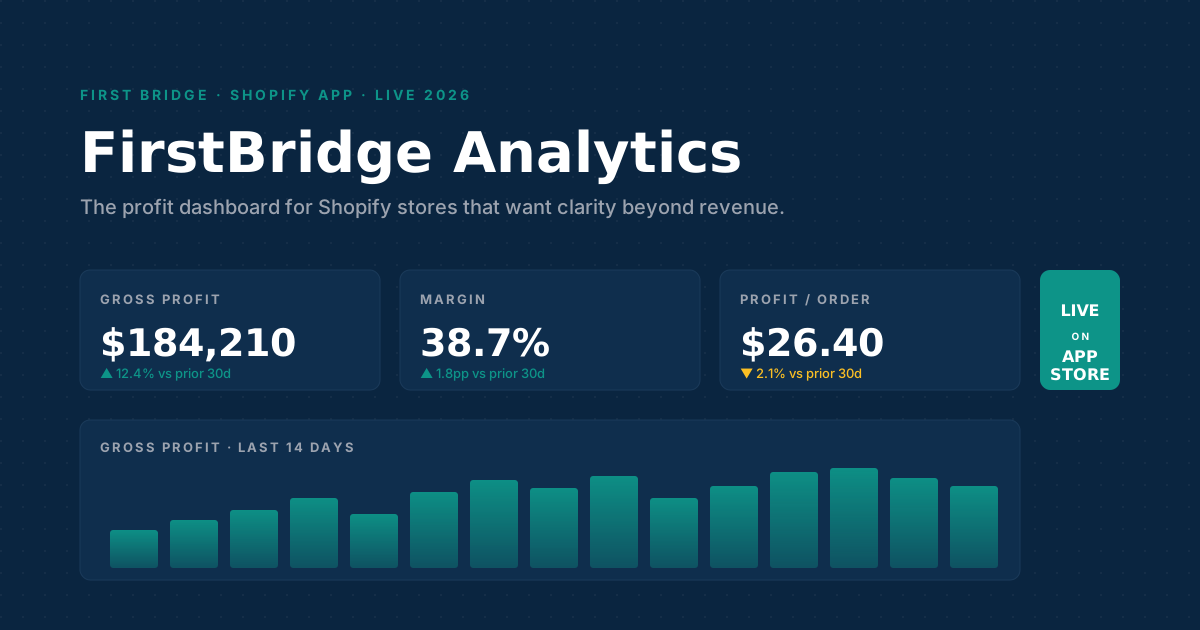
A Shopify analytics dashboard for stores that want clarity beyond revenue. Gross profit, margin, profit per order, returns, cohorts and geographic sales — in one embedded view, free to start.
Revenue dashboards lie. Profit dashboards don't.
Shopify's default analytics tab reports gross sales, orders and AOV. None of those numbers account for what you actually spent on inventory, refunds, or discounts — and the SKU at the top of the revenue chart is often the worst profit driver in the catalogue.
What's inside
Eight things FirstBridge Analytics does that the default Shopify analytics tab doesn't.
Profit dashboard
Gross profit, margin %, profit per order, and top profitable products in one view — calculated from variant-level COGS or a configurable default margin.
Returns analytics
Top returned products, return reasons, refund value, and at-risk revenue — the single number that drives SKU-rationalisation decisions.
Customer cohorts & LTV
Cohort analysis by acquisition month, LTV by cohort, and RFM (Recency, Frequency, Monetary) segmentation without exporting CSVs.
Geographic sales map
Interactive world map drilling from country → state → city. Loaded-bearing for warehouse, shipping-zone and ad-targeting decisions.
Variant-level COGS
Import COGS by SKU via CSV, or set a default margin to start. Historical COGS tracked alongside orders so margin changes are visible over time.
Expense tracking
Category-based expense tracking on Pro — get from gross profit to net contribution per period without leaving the dashboard.
UTM attribution
Marketing attribution by UTM. See profit per channel, not just revenue per channel — and stop overspending on the high-revenue, low-margin SKU.
Reports & CSV export
Orders, refunds, tax, and payout reports — all CSV-exportable. Built because Shopify's native export-by-email flow is too slow for an ops team.
Pricing
Free plan covers the profit calculation a merchant actually needs. Pro exists for stores that want unlimited history, geo intelligence and channel-level attribution.
Free
forever
- ✓ Revenue, orders, AOV, customer counts
- ✓ Gross profit, margin %, profit per order
- ✓ Returns analytics
- ✓ Customer cohorts, LTV, RFM segments
- ✓ CSV COGS import
- ✓ Top profitable products
- ✓ Day-of-week sales analysis
- ✓ 90-day order history
Pro
Everything in Free, plus:
- ✓ Unlimited order history
- ✓ Geographic sales mapping (country → city)
- ✓ Unlimited variant-level COGS
- ✓ Expense category tracking
- ✓ UTM and marketing attribution
- ✓ Orders, refunds, tax, payout reports
- ✓ Priority email support
Built by First Bridge Consulting
We build custom and public Shopify apps for SMB and Shopify Plus merchants. FirstBridge Analytics is the product we ship under our own name — and the working reference we point clients to when they ask what a clean, review-passing public Shopify app looks like in 2026.
Same team. Same stack. Same review-cycle discipline. If you're considering a Shopify app — public, custom, or a Theme App Extension — we can scope, design, build and ship it.
How we built it
- Frontend
- Remix + Shopify Polaris React
- Auth
- App Bridge + session tokens
- Data
- GraphQL Admin API + bulk operations
- Storage
- Prisma + Postgres
- Hosting
- Cloudflare Pages
- Compliance
- GDPR webhooks, Shopify Billing API
Frequently asked questions
Is FirstBridge Analytics a Shopify analytics tool or a profit dashboard?
Both. It's a Shopify analytics dashboard whose lens is profit, not just revenue — so alongside the usual sales and order metrics you get gross profit, margin, profit per order, returns, cohort/LTV and a geographic sales map. One embedded analytics tool instead of five CSV exports into a spreadsheet.
Is FirstBridge Analytics free?
Yes. The Free plan covers revenue, gross profit, margin, profit per order, returns, customer cohorts, LTV, RFM segmentation, CSV COGS import, top profitable products and 90 days of order history. The Pro plan ($4.99/month, 14-day free trial) adds unlimited history, geographic mapping, variant-level COGS at scale, expense tracking, UTM attribution and orders/refunds/tax/payout reports.
How does it calculate profit?
Variant-level COGS imported via CSV, or a configurable default margin if COGS isn't loaded yet. Gross profit = revenue − COGS − refund value. Margin = gross profit ÷ revenue. Profit per order = gross profit ÷ order count over the same window.
Does it slow my store down?
No. FirstBridge Analytics is an admin-embedded app — it doesn't inject scripts into your storefront, so it has zero impact on storefront LCP or Core Web Vitals.
What permissions does the app request?
Read access to customers, products, orders, returns, inventory, gift cards, Shopify Payments, checkout, and store locations. The app is read-only — it does not write data to your store.
Can First Bridge Consulting build a similar app for our store?
Yes. We build custom and public Shopify apps for SMB and Shopify Plus merchants, using the same stack we used to build FirstBridge Analytics. Contact us for a build quote in 48 hours.
Where can I see screenshots?
Screenshots of the profit dashboard, geographic map, custom reports, and product performance views are on the Shopify App Store listing.
See your real profit, free.
Install FirstBridge Analytics from the Shopify App Store. The Free plan is enough to answer the "are my best-revenue SKUs actually profitable?" question in under ten minutes.